

Figma version control for design system work is the practice of managing changes to your components, styles, and tokens in a predictable, trackable way so teams always know which version they’re using. In practice, the mess starts when multiple products, squads, and release trains all touch the same Figma library with no shared rules for how and when it changes.
Learn more about: Human Factors Design
TL;DR
- Treat your design system like a code library: versioned, branched, and documented.
- Use Figma branching plus a clear “main” file to isolate work and control when updates go live.
- Apply Semantic Versioning (major.minor.patch) to your design library and document it in a visible changelog.
- Align designers and developers on releases, tokens, and naming so design and code versions don’t drift.
- Start small: one source-of-truth file, one release cadence, and a manual changelog beat uncontrolled publishing.
Why Does Figma Design System Version Control Break So Easily?
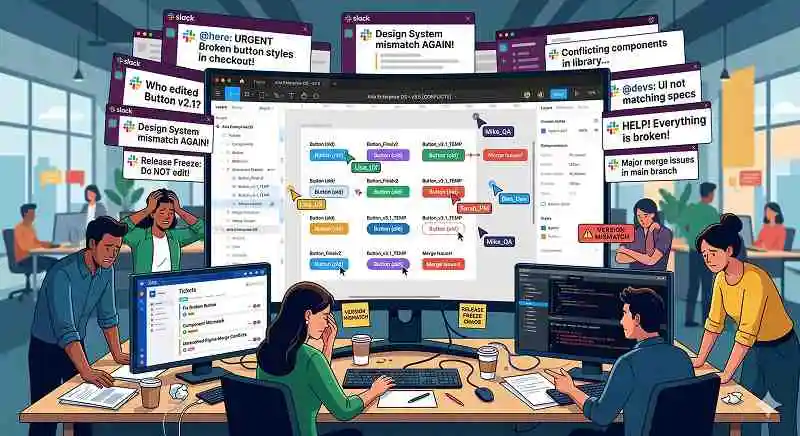
What Does the Chaos Look Like in Real Teams?
The chaos usually starts when you manage one shared library for several apps, each with its own roadmap, dev team, and release cadence, and then you “just publish” a component tweak. A common real-world example is updating a button style for App A while Apps B and C are in code freeze, only to have all three apps’ designers pull the new change without realizing the impact. Developers then see designs that no longer match the code they just stabilized, QA finds “bugs” that are really version mismatches, and PMs get dragged into prioritization debates that should never have existed. Based on experience, this chain reaction can burn entire sprints on coordination and rework instead of shipping value.
Why Is This Problem So Common Yet Rarely Named?
This problem is rarely named because people assume Figma’s “Publish library” is equivalent to Git’s version control, when it’s really closer to a global on/off switch. Each product team runs its own release schedule and code freeze, but the design system often runs on “whenever the design team is ready,” creating a structural mismatch. According to industry best practices, any shared asset that multiple teams depend on needs explicit versioning and release management, not just ad-hoc updates. Without that, you pay in context-switching, last‑minute hotfixes, and endless “which version is correct?” Slack threads.
How Do You Bring Real Version Control Discipline into Figma?
How Can You Use Branching and a “Main” File Safely?
The most reliable approach is to treat your primary library file as a protected “main” branch and do all risky work in Figma branches or separate “work-in-progress” files. In practice, designers create a branch for each initiative (for example, button-accessibility-v2), explore and iterate there, and only merge back once the work has been reviewed and scheduled for a specific product release. This mirrors Git workflows: isolation for experiments, review before merge, and clear intent behind every change. Worth noting, Figma branching still isn’t as robust as Git, so you must back it with human rules: who can merge, when merges happen, and how you communicate them.
How Do You Define a Controlled Update Flow?
A controlled update flow means you never publish from Figma just because a component “looks done”; you publish only when the release is planned and documented. A practical pattern is to align design system publishes with a regular cadence (for example, every two weeks) and tie each publish to a named version and changelog entry. During the week, you merge branches into a staging file, validate with devs and QA, then on release day you copy or merge into the main library and publish. This creates a predictable heartbeat that product teams can plan around, instead of random surprise updates.
How Do You Version, Document, and Align with Code?
How Do You Apply Semantic Versioning to a Figma Design System?
The core of effective Figma version control for design system work is to assign explicit versions using Semantic Versioning (SemVer): MAJOR.MINOR.PATCH. In this model, MAJOR changes break compatibility (for example, new layout rules), MINOR adds backward-compatible features (new variants, tokens), and PATCH fixes bugs (spacing, color fixes) without changing intent. According to experts, SemVer works well because it encodes risk into the version number, so teams can instantly gauge how safe an update is. You don’t need tooling support to start: a simple “Design System v2.3.1” frame in Figma and a text-based log is enough.
What Does a Good Changelog and Dev Collaboration Setup Look Like?
A good changelog acts as your single source of truth for what changed, when, and why, and it should live in a place designers and developers both actually use. At minimum, log the version, date, impacted components or tokens, type of change (major/minor/patch), and links to Figma pages or Jira tickets; this gives you an audit trail for debugging and rollback. In practice, I’ve seen the most success when teams pair the changelog with a short “release note” huddle where design and dev walk through changes together. This shared ritual builds trust, surfaces risks early, and keeps design and code versions logically aligned even when their numbering schemes differ.
How Do You Start Fixing Your Messy Figma Version Control Today?
What Is the Minimum Viable Process You Can Adopt Now?
You can start small by designating one official library file as the only place you ever publish from and by introducing manual version tags plus a changelog page. Next, standardize a lightweight SemVer scheme and release cadence, and require that every publish has a corresponding log entry and at least one developer reviewer.
Even without extra tools, this alone will drastically reduce accidental updates, surprise regressions, and “mystery” design differences. Over time, you can layer on branching discipline, staging files, and tighter integration with your code repo’s release process.
How Does This Shift You from Chaos to Control?
When you treat your system library like a real product with versions, branches, and releases, you move from reactive firefighting to predictable change management. Teams know which version they’re on, what’s coming next, and how risky each upgrade is, so they can plan instead of panic. Ultimately, disciplined design versioning means fewer bugs, fewer reverts, and far better trust between design and engineering. If you do nothing else, start a clear changelog and one controlled publish cadence—your future self, and your entire org, will feel the difference in how you handle Figma version control for design system work.
Learn more about: Can Prompting be Used to Create Screens in Figma