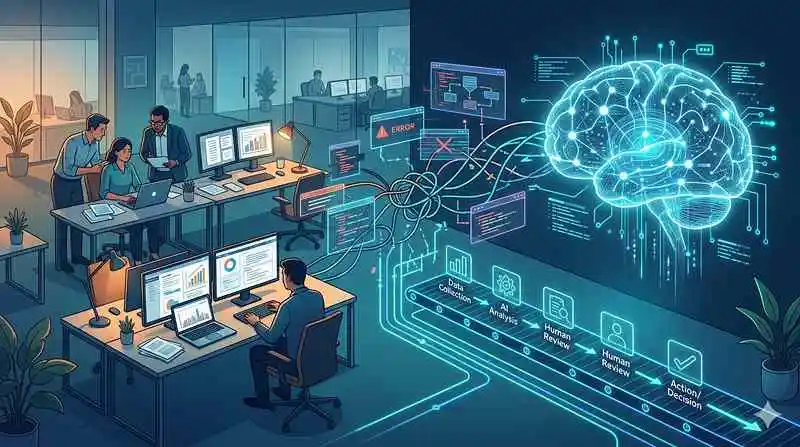
Integrating AI into human workflows means redesigning how people, rules, and intelligent systems move work from trigger to outcome, rather than just dropping a chatbot or copilot into each application. In practice, the mess comes from bolting AI onto fragmented processes that already struggle with unclear ownership, manual handoffs, and siloed systems.
Learn more about: Hierarchical Task Analysis
TL;DR – Key Points
- The real problem is not the AI models; it is the broken, cross-system workflows they land in.
- You need to move from “AI as a feature” to “AI-driven workflows” using a clear maturity model.
- Start by scoring candidate workflows across business value, data readiness, speed, risk, and change appetite.
- Use an orchestration layer over existing systems to coordinate humans, rules, and AI agents without rebuilding your stack.
- Treat this as an ongoing redesign of how work flows, not a one-off tool rollout.
Why Does Integrating AI into Human Workflows Feel So Chaotic?
Everyday workflows are already fragile before AI shows up
In most enterprises, a single purchase order may originate in Salesforce, get exported into SAP, then live in three spreadsheets and an email thread before anyone approves it. An IT ticket can bounce between service queues in ServiceNow, Slack messages, and side emails for days while the employee keeps asking for updates. Finance teams still do three-way matching by copying values between ERP screens, PDFs, and shared drives.
When leaders start integrating AI into human workflows in this environment, they usually add “smart” features at each step: a summarizer in the ticketing tool, an email drafting assistant for procurement, an anomaly detector in the ERP. Based on experience, these local optimizations help individuals, but the end-to-end lead time, error rate, and compliance exposure barely move. The underlying process is still fragmented and opaque.
The chaos comes from layering intelligence on top of workflows that were never explicitly designed. Most processes evolved through policy changes, system rollouts, and quick fixes. There is no single place where the organization has defined: who does what, in what order, with which systems, and under which rules. When AI arrives, it amplifies this ambiguity instead of resolving it.
The thesis: AI value comes from workflow redesign, not isolated features
Effective use of AI in operations requires treating workflows as products that you intentionally design, govern, and iterate. According to multiple industry studies from firms like McKinsey and BCG, organizations that redesign processes around automation and analytics see 2–3x the productivity gains compared with those that only add tools on top of existing ways of working.
In practice, that means you must decide, step by step, which tasks need human judgment, which follow deterministic rules, and where AI agents can safely handle bounded work with clear guardrails. The rest of this article focuses on how to make those decisions, how to prioritize where to start, and how to implement without ripping out your tech stack.
What Does It Really Mean to Integrate AI into Human Workflows?
It is about end-to-end flow, not individual tools
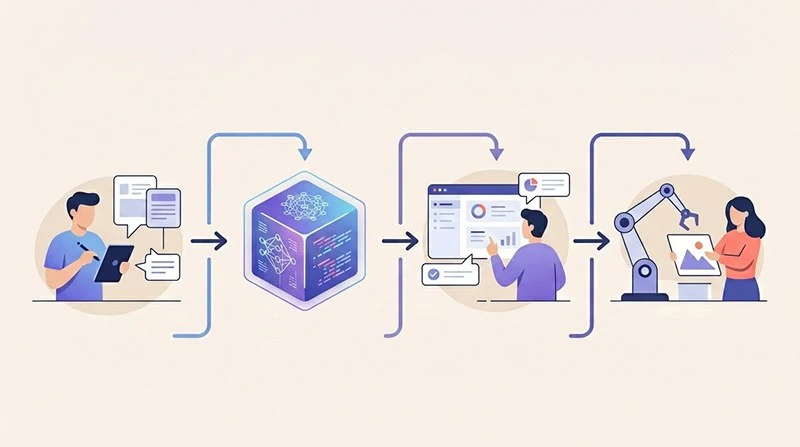
To truly integrate AI into human workflows, you must focus on how work moves from trigger to resolution across systems, teams, and time. The question is not “Where can I add a copilot?” but “How should this process run if humans, rules, and AI agents collaborate by design?” In other words, value depends less on the intelligence of any one model and more on the quality of the workflow architecture that surrounds it.
Based on experience with large enterprises, the biggest missed opportunity is the “white space” between systems: the emails, spreadsheets, chat messages, and shadow trackers where context gets lost. When AI sits only inside each application, humans still carry context across boundaries, reconcile conflicting data, and decide the next step. That human glue is exactly where delays, errors, and burnout accumulate.
A more mature approach defines a single governed workflow that orchestrates tasks across SAP, Salesforce, ServiceNow, and others. In that orchestrated flow, AI is not a sidekick; it is a first-class participant that can read, decide, and act within defined constraints, while humans focus on exceptions and high-judgment work.
The three levels of AI integration maturity
In practice, most organizations move through three levels when integrating AI into human workflows:
- Level 1 – AI Features in Existing Tools
At this stage, teams enable AI helpers embedded in products: email drafting in Outlook, ticket summaries in ServiceNow, smart replies in CRM. Humans still drive every transition between steps. The benefit is local productivity; the downside is that the process itself remains unchanged.
- Level 2 – AI-Powered Apps in Single Systems
Here, organizations build or adopt AI apps that automate a bigger chunk of work within one platform. Examples include an AI module that triages IT tickets into appropriate queues or a model that flags suspicious invoices in the ERP. This reduces manual work in that system, but people still shuttle context and decisions across other tools.
- Level 3 – AI-Driven End-to-End Workflows
At this level, the organization redesigns the process around a central workflow engine where rules, humans, and AI agents operate in a single governed flow. Routine insurance claims, for instance, can be automatically ingested, validated against policy rules, enriched with external data, and either paid out or routed to an adjuster with a complete AI-generated brief. Human expertise is reserved for ambiguous or high-risk cases.
Research from major consultancies suggests that while more than 70% of large companies have deployed AI features, fewer than 20% have redesigned core workflows around AI. That gap explains why many executives feel they are “doing a lot with AI” but not seeing commensurate business impact.
What happens if you only “layer” AI on top?
If you simply add AI helpers without redesigning the workflow, you keep all the structural problems: manual handoffs, opaque queues, and duplicated effort. The AI might speed up individual steps, but total cycle time and risk profile barely change. Worse, you can introduce new failure modes: inconsistent decisions, hallucinated content, or untracked actions that regulators and auditors cannot reconstruct.
At enterprise scale, this means thousands or millions of transactions still carry avoidable delays and compliance gaps. The organization spends money on AI licenses and pilots but continues to operate on fragile, people-dependent processes that do not scale.
How Should You Choose Where to Integrate AI into Human Workflows First?
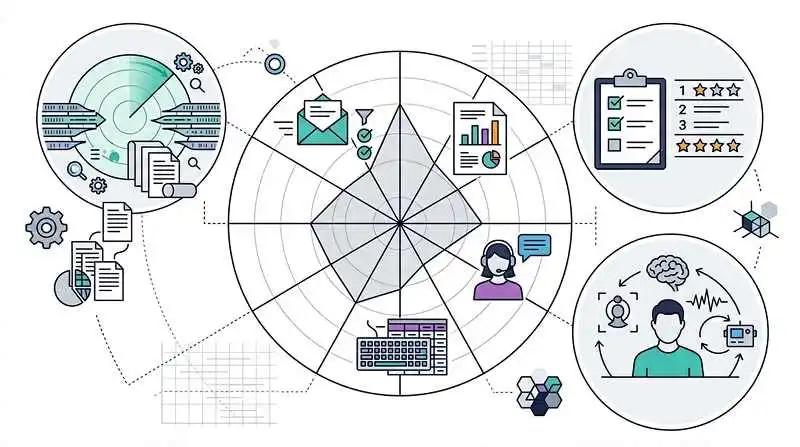
Start with a wide scan, then narrow to a shortlist
The most successful programs do not start with a model; they start with a map of work. Practically, that means scanning across functions for high-friction, cross-system workflows such as purchase-to-pay, incident management, customer onboarding, or claims processing. Look especially at queues and exception logs: IT backlog reports, finance aging reports, procurement approval queues, and customer support escalations.
In practice, the best candidates share three traits: high volume, repeatable patterns, and frequent handoffs. For example, password reset tickets, low-value purchase orders, or simple expense claims often follow the same logic 80–90% of the time. These are ideal places to prototype a more orchestrated, AI-supported flow while keeping humans firmly in control of edge cases.
The goal of this broad scan is not to invent use cases from scratch but to reveal where your people already compensate for system limitations with manual work. Those are the points where redesigning the workflow, not just automating a step, will unlock meaningful value.
Use a practical scoring framework to prioritize workflows
Once you have a list of candidate workflows, score each one across several dimensions to create a rational, defensible roadmap:
- Business value
Estimate potential impact in terms of cost savings, revenue protection, or customer experience. Prioritize high-frequency, high-cost, and high-error processes where even modest improvements compound.
- Data readiness
Assess whether the required data exists, is accessible, and is of reasonable quality. Avoid starting with processes that would require a year-long data cleanup before any AI can be effective.
- Speed to value
Favor workflows where you can show tangible results in 1–3 months. Early wins build credibility and buy-in for deeper transformation.
- Risk exposure
Consider the consequences of errors. Initial pilots should focus on areas where mistakes are reversible and can be caught by human review, not on safety-critical or highly regulated decisions.
- Organizational readiness
Evaluate whether there is a clear process owner, an engaged business sponsor, and teams willing to change how they work. According to industry experience, lack of ownership kills more AI workflow projects than model performance does.
- Dependency complexity (optional but useful)
Rate how many systems, teams, and external parties are involved. Some complexity is good (it is where AI-driven orchestration shines), but extreme dependencies can slow down a first wave.
Rank workflows by their composite score and pressure-test the top few with quick data and architecture reviews. This keeps you anchored to business outcomes instead of chasing the most exciting demo.
Consider the human side: process usability and experience
When integrating AI into human workflows, the experience for employees matters as much as technical feasibility. A workflow that looks elegant on an architecture diagram can still fail if it forces people into unnatural behaviors, extra clicks, or confusing handoffs.
Learn more about User Experience of a Process
Based on experience, involving frontline users early, running small usability tests of new flows, and instrumenting the process with metrics like handle time and rework rate are critical to sustainable adoption.
How Can You Integrate AI Without Rebuilding Your Tech Stack?
Use an orchestration layer on top of existing systems
Most enterprises do not need to rip and replace SAP, Salesforce, ServiceNow, or their homegrown line-of-business applications to benefit from AI-driven workflows. Instead, they need a governed orchestration layer—a workflow engine or adaptive orchestration platform—that sits above these systems and coordinates actions across them.
This layer connects to existing systems via APIs, connectors, or event streams. It holds the canonical definition of the workflow: steps, decision points, SLAs, and escalation paths. Within this flow, different kinds of actors participate: deterministic rules, human workers, and AI agents that can read, classify, summarize, or draft content.
From a practical standpoint, this architecture lets you pilot new AI-infused workflows while keeping data where it already lives. It also centralizes monitoring, logging, and governance. You can see which agent made which suggestion, which human approved it, and which system executed the final action—critical for auditability and trust.
Design the collaboration between humans, rules, and AI agents
Inside that orchestration layer, the core design challenge is role definition: who (or what) does what. A robust pattern for integrating AI into human workflows is:
- Use rules for clear, deterministic logic (e.g., “if invoice amount < $500 and vendor is approved, auto-approve”).
- Use AI agents for tasks involving language, pattern recognition, and unstructured data (e.g., extracting fields from a contract, classifying ticket intent, drafting a response).
- Use humans for ambiguous, high-risk, or novel decisions, and as supervisors who review AI outputs above certain thresholds.
In practice, you can implement graduated autonomy: AI acts automatically in low-risk cases, suggests options in medium-risk cases, and merely surfaces context in high-risk cases. Over time, as you gather evidence on accuracy and outcomes, you can carefully expand the scope of automation.
This structured collaboration avoids both extremes: blind trust in AI and underuse of its capabilities. It also makes it clear to employees where their judgment is most valuable, which helps with adoption.
Avoid “AI agent sprawl” and fragmented automation
Without a coordinating layer, every major system tends to grow its own AI agents, macros, and automations. The security team builds bots in the SIEM, finance builds scripts in the ERP, support builds flows in the CRM, and so on. Over time, you get “AI agent sprawl”: many small, overlapping automations with inconsistent guardrails and little global visibility.
The risks are real: duplicated logic, conflicting actions, unclear ownership when something goes wrong, and governance headaches for legal, security, and compliance. Industry best practice is to consolidate cross-cutting workflows into a small number of orchestrated flows where you can enforce consistent policies, approvals, and logging.
This does not mean banning local automation, but it does mean defining which processes must run through the central orchestration layer and which are safe to automate locally. The more a workflow touches multiple systems, sensitive data, or regulated decisions, the more it belongs in the governed layer.
What Are the Next Practical Steps to Fix AI Integration in Your Workflows?
Shift your mindset from tools to workflows
The first step to fixing the mess around integrating AI into human workflows is a mindset shift: stop treating AI as a feature rollout and start treating workflows as products. Instead of asking, “Which AI tools should we buy?”, ask, “Which processes should we redesign this year, and how will AI, rules, and humans share the work?”
In practice, this means giving someone explicit ownership of key workflows—often in operations, transformation, or a dedicated automation team—and equipping them to work across IT, data, and business units. It also means measuring success in terms of process outcomes: cycle time, error rates, customer satisfaction, and employee experience.
Follow a concrete, repeatable playbook
A practical playbook many organizations use looks like this:
- Map 10–20 high-volume workflows across functions, including the shadow steps in email and spreadsheets.
- Score them using the framework above: business value, data readiness, speed to value, risk, and organizational readiness.
- Select 2–3 pilot workflows that score well and have willing business owners.
- Design the target workflow in your orchestration layer, explicitly assigning tasks to humans, rules, and AI agents.
- Implement with tight guardrails, clear audit logs, and human-in-the-loop review where needed.
- Measure outcomes, refine thresholds and logic, and gradually expand automation scope as you build evidence and trust.
Over time, this playbook becomes an internal standard for how you approach any new opportunity to use AI in operations, which reduces ad hoc experiments and increases reuse of successful patterns.
Close with a focus on design, not just intelligence
The organizations that succeed with AI do not just have strong models; they have strong workflow and interaction design. They pay attention to how people experience AI suggestions, how exceptions surface, and how easy it is to override or correct the system.
Learn more about: Interaction Design
Integrating AI into human workflows will always feel messy if you treat it as a series of disconnected features. When you instead approach it as a disciplined redesign of how work flows—supported by a scoring framework, an orchestration layer, and clear roles for humans, rules, and AI agents—you turn that mess into a manageable, repeatable capability. Start by mapping your top workflows, score them objectively, and redesign just one or two with this lens; the lessons from those efforts will guide every subsequent integration you tackle.