
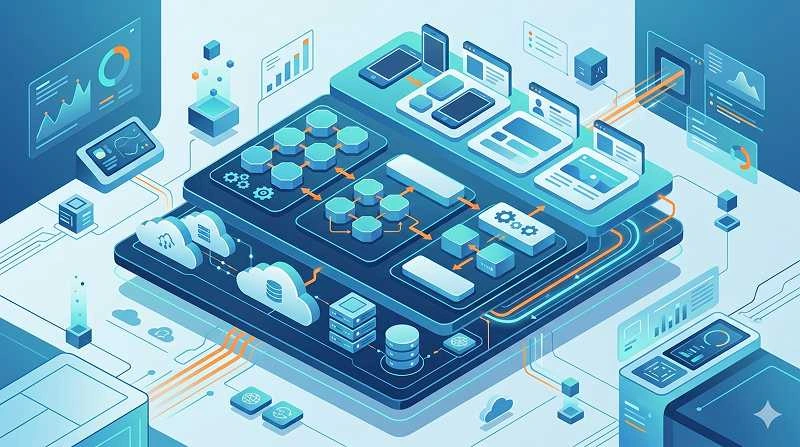
Learning how to classify software applications components means creating a clear map of what each part of your system does, how it connects to others, and where it lives in your architecture. In practice, this is the difference between a codebase that feels like a black box and one that teams can confidently change, scale, and secure.
Learn more about: User Registration Success Message
TL;DR
- Modern systems are too complex to treat as one big blob; you need multiple classification views (layers, responsibilities, deployment, etc.).
- Clear component categories reduce bugs, speed up debugging, and lower the risk of breaking critical paths.
- Using 7 real-world classification angles gives you a practical, shared language across dev, architecture, PM, and operations.
- The same system can and should be classified in several ways at once (by layer, by responsibility, by deployment, by ownership, by lifecycle, by risk, by domain).
- Start small: document one critical flow (e.g., checkout) using these lenses, then expand to the rest of the application.
Why is it so important to understand how to classify components?
Understanding how to classify parts of an application is important because it turns a messy tangle of services, modules, and scripts into a set of understandable building blocks. When we skip this step, we usually see the cost in production: fragile releases, surprising side effects, and firefighting incidents that drag on for hours. Based on experience, the teams that invest in classification early spend far less time arguing about “where things live” and more time shipping features.
When there is no shared structure, several predictable problems show up:
- Changes become risky because nobody is sure which components are affected.
- Debugging takes longer since logs and responsibilities are scattered across the stack.
- Scaling is expensive because you overprovision entire apps instead of the few hot components.
- Onboarding slows down because new engineers must reverse-engineer the architecture from code.
According to industry best practice, treating your system as a set of well-named, well-classified components is a prerequisite for maintainability and long-term scalability. Once you do, you can reason about impact, risk, and ownership in minutes instead of days.
What exactly are “software application components”?
Software application components are cohesive units of behavior in your system that have a clear responsibility and interact with others through defined interfaces. They can be as fine-grained as a class or module, or as coarse as a microservice, depending on the level of abstraction you use. In practice, we usually talk about components at the level where they can be owned, deployed, and changed somewhat independently.
Common examples include:
- Web front-end modules (React components, Razor pages, template views).
- Business services or domains (OrderService, PricingEngine, RecommendationService).
- Data access layers and repositories (UserRepository, InventoryDAO).
- Cross-cutting services (authentication, logging, caching, messaging gateways).
These pieces communicate via function calls, APIs, events, or message queues. Understanding them at this level is the foundation for any systematic approach to how to classify software applications components in a way that survives real-world change.
How can we classify components by application layer?
Classifying by application layer is one of the most intuitive ways to slice a system because it mirrors how requests move through the stack, from UI down to storage. According to layered architecture patterns, this view is especially helpful for reasoning about where to put logic and how to avoid tight coupling. In most production systems, we see at least three to four major layers.
1. Presentation layer components
Presentation components handle everything the user sees and how they interact with the system. They should focus on layout, input validation, and orchestrating calls to deeper layers, not on core business rules. A common real-world example is a React component that renders a product page but delegates pricing logic to a backend service.
Typical presentation components include:
- Web pages, mobile views, and UI widgets.
- Controllers or route handlers that translate HTTP requests into service calls.
- Client-side form validation and formatting helpers.
The key rule is to keep these components thin: they translate user intent into calls, but they should not decide business outcomes like “is this user allowed to place this order?”
2. Business logic layer components
Business logic components encode the rules and processes that make your application unique. In practice, this is where we place domain services, aggregates, and workflows that implement policies, pricing, eligibility, and other core behaviors. According to domain-driven design, keeping this layer explicit and separate makes it far easier to evolve the business without rewriting your UI or data store.
Examples include:
- Order processing services that validate inventory, payment, and shipping rules.
- Pricing engines that calculate discounts, taxes, and promotions.
- Policy engines for eligibility, compliance, or access rules.
When you classify components here, you can quickly answer “what breaks if we change this rule?” and “which services are business-critical versus nice-to-have?”
3. Data access and integration layer components
Data access and integration components manage persistence and communication with external systems. They hide the details of SQL, NoSQL, caches, or third-party APIs behind clean interfaces. In real-world systems, this is also where subtle performance and reliability issues show up if boundaries are not clear.
Common examples:
- Repositories, DAOs, and ORMs that read and write application data.
- API clients and SDK wrappers for payment gateways, CRMs, or email providers.
- Messaging adapters for Kafka, RabbitMQ, or cloud queues.
Separating and labeling these components lets you tune performance, swap providers, or add caching without leaking infrastructure concerns into your business logic.
Learn more about: Transfer Domain to Route 53
How do we classify components by functional responsibility?
Classifying components by what they do—rather than where they sit in the stack—helps you understand business value and impact. In practice, this view is what product managers and architects often use to prioritize work and assess risk. It also overlaps with how you might draw a domain map or capability model.
4. Core domain and functional components
Core components implement the functions that directly generate business value or differentiate your product. If these break, your main user flows are down, and you likely have an incident. Based on experience, these components deserve stricter SLAs, more tests, and clearer ownership.
Typical core components:
- Checkout and payment flows in e-commerce.
- Matching or ranking engines in marketplaces and search products.
- Content creation and publishing flows in CMS or social platforms.
Labeling these as “core” means everyone knows they are high-risk touchpoints, and any change here needs stronger review, monitoring, and rollback plans.
5. Supporting and shared-service components
Supporting components provide capabilities that many features rely on but that are not themselves the primary value proposition. They often appear as shared libraries or services used across multiple domains. According to experts, designing these as reusable building blocks reduces duplication and inconsistency.
Examples include:
- Notification services for email, SMS, and push messages.
- File storage and media processing services (image resizing, document conversion).
- Reporting and analytics modules used by several product areas.
The main caveat is to avoid over-generalizing too early; start from concrete use cases, then extract shared components when patterns are clear.
6. Infrastructure and platform components
Infrastructure components keep the system running but are usually invisible to end users. They handle concerns like observability, security, and runtime environments. In many teams, these are owned by platform or DevOps groups rather than feature squads.
Common infrastructure components:
- Logging, metrics, and tracing pipelines (ELK, Prometheus, OpenTelemetry).
- Authentication and authorization services (OAuth servers, IAM integrations).
- Job schedulers, background workers, and task queues.
Classifying these explicitly prevents the common mistake of treating them as “just config,” which often leads to fragile deployments and hard-to-debug incidents.
Learn more about: The Twelve-Factor App Config Environment variables
How can deployment and runtime model guide classification?
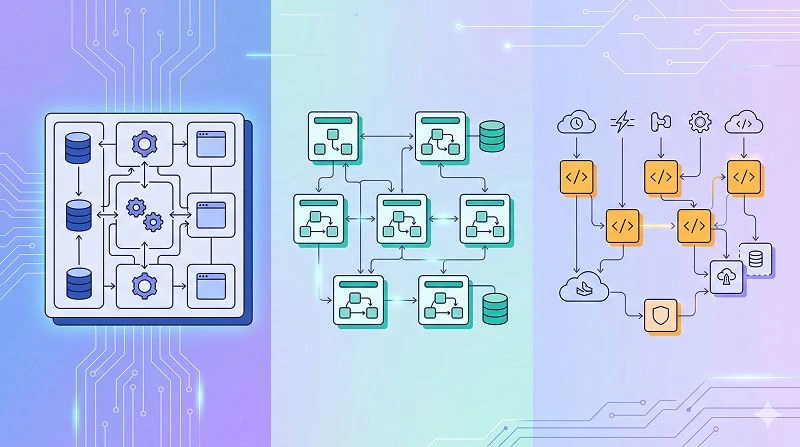
Classifying components by how they are deployed and run helps you understand operational complexity, cost, and failure modes. In modern architectures, you rarely have a single deployment unit; instead, you have a mix of services, jobs, and functions. This view is particularly valuable for SREs and operations teams.
7. Monolith, services, and serverless units
At the deployment level, components often fall into a few broad categories that define how they scale and how you manage them. Monolithic components are packaged and deployed as a single unit, which simplifies early development but can limit independent scaling. Microservices and serverless functions trade simplicity for better isolation and scalability.
Typical deployment units:
- Monolithic web apps or backends deployed as one container or VM image.
- Microservices with their own databases and CI/CD pipelines.
- Serverless functions (AWS Lambda, Azure Functions) triggered by events or HTTP.
Worth noting: the same logical component (e.g., “notification service”) might be implemented as part of a monolith today and later extracted into a microservice or set of functions as the system grows.
How do runtime characteristics affect classification?
Beyond deployment style, runtime behavior—such as sync vs. async, stateless vs. stateful—also shapes how we think about components. According to reliability engineering practices, this classification helps you design for resilience and capacity planning. For example, async, idempotent workers can be scaled aggressively during peak loads without breaking consistency.
Key runtime distinctions:
- Synchronous request handlers vs. asynchronous background workers.
- Stateless API endpoints vs. stateful stream processors.
- CPU-bound components (e.g., image processing) vs. IO-bound ones (e.g., DB gateways).
When you document these traits alongside other classifications, you get a clearer picture of which components are likely to bottleneck or fail under stress.
Learn more about: Google Domains Synthetic Records
How do ownership, lifecycle, and risk-based views help classification?
Beyond layers and deployment, mature organizations classify components by who owns them, how often they change, and how risky they are. In practice, these views drive decision-making around staffing, governance, and technical debt. They are also crucial when you onboard new teams or plan large refactors.
What is ownership-based classification?
Ownership-based classification groups components by which team or role is responsible for their health and evolution. This is the backbone of modern “you build it, you run it” models. A common real-world example is a checkout team that owns all components related to ordering, from APIs to background jobs.
Ownership groupings might include:
- Feature squads (e.g., Search, Checkout, Onboarding).
- Platform teams (e.g., Observability, CI/CD, Identity).
- External vendors or managed services (e.g., payments, email delivery).
Documenting this mapping reduces confusion during incidents and clarifies who can approve changes to which parts of the system.
How do lifecycle and risk-based classifications work?
Lifecycle-based classification focuses on how stable or volatile a component is, while risk-based classification looks at impact if it fails. Research shows that high-change, high-risk components are prime candidates for extra test coverage and stricter change management. Conversely, low-change, low-risk components can be optimized for simplicity and minimal overhead.
Useful lifecycle and risk labels:
- Experimental vs. mature vs. legacy components.
- High-risk (payments, security), medium-risk (reporting), low-risk (internal tools).
- Frequently changed vs. rarely touched modules.
Combining these labels with the other six classification angles gives you a powerful, multi-dimensional view of your system that directly informs roadmap, refactoring, and incident response strategies.
How do you put these 7 real-world classification methods into practice?
To apply these seven lenses effectively, start with a single critical user journey and map all involved components across the different views. In practice, this might be your signup flow, checkout, or primary data pipeline. For each component, tag its layer, responsibility type, deployment unit, runtime traits, ownership, lifecycle, and risk level.
A practical rollout plan looks like this:
- Pick one flow and document its components in a simple table or architecture diagram.
- Add tags for the 7 classifications, keeping descriptions short and consistent.
- Review with cross-functional stakeholders (dev, PM, ops, security) and adjust names and boundaries.
Over time, expand this map to cover more of the system and keep it updated as part of your development process. Knowing how to classify software applications components this way will improve clarity, speed up onboarding, and reduce the risk of breaking critical paths as your architecture evolves.
Learn more about: Inject Environment Variables to The Build Process